
Every conversation I have about WooCommerce analytics starts the same way. The store owner opens two tabs. One is a marketing dashboard claiming a number of conversions. The other is Stripe, showing a smaller number of actual payments. Then they ask me which one is lying.
Neither is lying. They are measuring different events. The dashboard is counting browsers that successfully loaded a thank-you page and successfully executed a script. Stripe is counting money that settled. Those two populations overlap heavily, but they are not the same set, and the gap between them is where your budget decisions go to die.
Here is the part that makes WooCommerce different from every hosted platform, and the reason I think WooCommerce stores can end up with better attribution than Shopify stores rather than worse: you own the server. The PHP process that creates the order runs on your machine. You can hook it. Nobody has to approve an app, no platform decides which events you are allowed to see, and no sandboxed pixel stands between you and the order object. Roughly 48.4% of all sites running a known e-commerce system run WooCommerce [1], and the plugin reports over 7 million active installations [2]. Almost none of them use that advantage.
This guide is the version I wish someone had handed me: what the order lifecycle actually does, why client-side pixels lose orders, the specific hooks to use, how to carry a session identifier through to the payment, how to reverse refunds back out, and the AI-referral problem that almost no WooCommerce operator is currently measuring.
What is WooCommerce conversion tracking?
WooCommerce conversion tracking is the practice of recording which marketing source produced each paid order, and attaching a real money value to that order.
The load-bearing word is order. Most WooCommerce tracking setups I inherit do not track orders at all. They track a pageview of /checkout/order-received/ and treat it as a stand-in. That substitution is where the accuracy goes: a pageview is a claim about a browser, and an order is a fact in your database.
There are three separable jobs hiding inside "conversion tracking", and confusing them is why store owners end up with four tools that disagree:
- Attribution capture — recording where the visitor came from, in a first-party context, before they ever reach checkout.
- Conversion recording — firing a durable event when the order becomes real, with the correct value and currency.
- Payment reconciliation — proving that the recorded conversion corresponds to money that actually settled, and reversing it if it does not.
Ad platform pixels do job 2 badly and ignore job 3 entirely. GA4's e-commerce events do job 2 and 3 partially. Only the server can do all three, because only the server sees the order after the browser has gone.
Why does the WooCommerce order lifecycle break client-side pixels?
WooCommerce orders move through a documented status machine, and the statuses are not decorative — each one means something specific about whether money exists [3].
| Order status | What it means [3] | Money settled? | Does a thank-you-page pixel fire? |
|---|---|---|---|
draft | Created when a customer starts checkout under block-based checkout | No | No |
pending | Order received, but no payment has been made | No | No |
failed | The customer's payment failed or was declined | No | Sometimes, on retry |
on-hold | Awaiting payment confirmation; stock reduced but payment unconfirmed | Not yet | Usually yes — prematurely |
processing | Payment received (paid) and stock reduced | Yes | Usually yes |
completed | Order fulfilled and complete | Yes | Already fired earlier |
cancelled | Cancelled by an admin or the customer | No | May have already fired |
refunded | Fully refunded after payment by an admin or shop manager | Reversed | Never fires again |
Read that fourth column carefully. A pixel that fires once, on one page, at one moment, is being asked to summarise an eight-state machine that keeps evolving for days. It fires on on-hold orders that later fail. It never un-fires on refunded. It misses processing orders where the browser never came back.
This is not a WooCommerce flaw. It is what happens when you sample a stateful process with a stateless event.
Where exactly do client-side pixels lose orders?
I have found five distinct loss modes. They compound rather than overlap, which is why the total gap is usually larger than store owners expect.
| Loss mode | Mechanism | Who it hits | Fixed by server-side hooks? |
|---|---|---|---|
| Ad blocking | Extension blocks the analytics or ad-platform script before it executes | ~29.5% of internet users use an ad blocker at least sometimes [14] | Yes — the hook runs in PHP |
| Gateway redirect | Klarna, Afterpay, PayPal, iDEAL, Alipay and similar methods require a redirect to complete confirmation [13][7] | Every buyer using a redirect method | Yes |
| Abandoned return | Buyer pays, then closes the tab or loses connectivity before the order-received page renders | Mobile buyers especially | Yes |
| Delayed confirmation | SEPA Direct Debit and bank-transfer methods are not confirmed for days; Stripe advises waiting at least 6 business days [10] | Any store selling into SEPA markets | Yes, via async webhooks |
| Refund drift | Pixel fired at purchase; refund weeks later never reverses it | Every store with a return rate | Yes, via refund hooks |
Stripe's own fulfillment documentation is unusually blunt about the third one. It states that you cannot rely on triggering fulfillment only from the Checkout landing page, because a customer can pay successfully and then lose their internet connection before your landing page loads, and it says plainly that webhooks are required [8]. If Stripe will not trust the redirect for fulfillment — the thing that costs you inventory — you should not trust it for attribution either.
The delayed-payment case is the one that quietly corrupts channel reports. Stripe's guidance on SEPA Direct Debit is to wait at least six business days before considering a payment successful, because after submission there is a five-business-day window in which the customer's bank can still reject it [10]. A pixel firing at checkout books that revenue immediately. If it later fails, nothing tells your dashboard.
How do you hook WooCommerce order events server-side?
Three core actions do almost all the work. All three are in the WooCommerce hooks reference [4].
woocommerce_checkout_create_order— fires while the order object is being built, before it is saved. This is where you stamp attribution data onto the order.woocommerce_payment_complete— fires when the gateway confirms payment. This is your conversion event.woocommerce_order_status_changed— fires on every transition afterwards, including intorefunded,cancelledandfailed.
Step one is capturing the identifier onto the order while you still have request context:
add_action(
    'woocommerce_checkout_create_order',
    function ( $order, $data ) {
        $sid = isset( $_COOKIE['af_sid'] )
            ? sanitize_text_field( wp_unslash( $_COOKIE['af_sid'] ) )
            : '';

        if ( $sid !== '' ) {
            // Underscore prefix keeps it out of the customer-visible meta box.
            $order->update_meta_data( '_af_session_id', $sid );
        }
    },
    10,
    2
);
That cookie is written by your first-party tracking script on the landing page, not at checkout. The point of moving it onto the order is durability: once it is order meta it survives the gateway redirect, the browser closing, and the buyer paying three days later by bank transfer.
Step two is the conversion itself:
add_action( 'woocommerce_payment_complete', 'af_record_conversion', 10, 1 );

function af_record_conversion( $order_id ) {
    $order = wc_get_order( $order_id );
    if ( ! $order ) {
        return;
    }

    $session_id = $order->get_meta( '_af_session_id' );
    if ( ! $session_id ) {
        // No session to credit. Log it as unattributed — never guess.
        error_log( "af: order {$order_id} has no session id" );
        return;
    }

    $payload = array(
        'session_id'     => $session_id,
        'order_id'       => (string) $order->get_id(),
        'transaction_id' => $order->get_transaction_id(),
        'value'          => (float) $order->get_total(),
        'currency'       => $order->get_currency(),
        'status'         => $order->get_status(),
        'paid_at'        => $order->get_date_paid()
            ? $order->get_date_paid()->date( DATE_ATOM )
            : null,
    );

    wp_remote_post(
        'https://collector.example.com/v1/conversion',
        array(
            'timeout'  => 5,
            'blocking' => false, // Never make checkout wait on analytics.
            'headers'  => array( 'Content-Type' => 'application/json' ),
            'body'     => wp_json_encode( $payload ),
        )
    );
}
Four details in that snippet matter more than the rest.
get_transaction_id() is a documented WC_Order method that returns the gateway's transaction identifier [5] — for the Stripe gateway [7], that is your join key into Stripe. get_total() and get_currency() come from the order object, so the value is the real order total rather than a number templated into a page. blocking => false means a slow collector cannot delay a customer's checkout. And the unattributed branch logs instead of inventing a source, which is the single most important line in the file: attribution systems that fill gaps with guesses are worse than ones that admit ignorance.
Put this in a must-use plugin or a small site-specific plugin, never in your theme's functions.php. Themes get replaced.
How do you carry the session id through to the Stripe payment?
You have two viable joins, and you should understand both before picking one.
Join A — via the transaction id. WooCommerce already stores the gateway transaction id on the order [5]. Stripe already stores the charge and PaymentIntent. So session_id → WooCommerce order → transaction_id → Stripe charge is a complete chain with no extra plumbing at all. This is the low-effort option and it is usually enough.
Join B — via Stripe's own reconciliation fields. Stripe's Checkout Session object exposes client_reference_id, documented as "a unique string to reference the Checkout Session… can be used to reconcile the Session with your internal systems", plus a metadata key-value map for structured extras [9]. If you write your session id there, the attribution key travels inside the payment object. That matters when you want Stripe to be the system of record — you can rebuild a channel report from Stripe alone, even if WordPress goes away.
| Join A: transaction id | Join B: client_reference_id / metadata | |
|---|---|---|
| Extra code required | None | Gateway filter or direct API call |
| Survives WordPress loss | No | Yes |
| Works for refunds | Yes, via payment_intent on the Refund object [11] | Yes |
| Works with non-Stripe gateways | Yes, per gateway | No |
| Where the key lives | WooCommerce database | Stripe |
| Rebuildable from Stripe alone | No | Yes |
I run Join A first because it works the day you write it, then add Join B when the store is stable. Doing both is not redundant — it gives you a reconciliation check, because the two paths should agree, and when they diverge you have found a real bug.
Whichever you choose, the payment-side listener is the same shape: subscribe to checkout.session.completed for immediate methods and checkout.session.async_payment_succeeded for delayed ones, and optionally checkout.session.async_payment_failed so a bounced bank debit does not stay booked as revenue [8]. Verify the signature using Stripe's official libraries with the raw request body [12] — frameworks that reparse the body break verification. And store processed event ids, because Stripe explicitly warns that endpoints may receive the same event more than once and retries continue for up to three days with exponential backoff [12].
How do you attribute refunds back out?
Most WooCommerce tracking setups are write-only. Revenue goes in and never comes out, which means every channel report drifts optimistic in proportion to your return rate — and for apparel or footwear that drift is not small.
WooCommerce gives you three refund hooks [4]:
// Fires with the refund amount whenever a refund is recorded on an order.
add_action( 'woocommerce_order_refunded', 'af_record_refund', 10, 2 );

function af_record_refund( $order_id, $refund_id ) {
    $order  = wc_get_order( $order_id );
    $refund = wc_get_order( $refund_id );

    if ( ! $order || ! $refund ) {
        return;
    }

    $session_id = $order->get_meta( '_af_session_id' );
    if ( ! $session_id ) {
        return;
    }

    wp_remote_post(
        'https://collector.example.com/v1/refund',
        array(
            'timeout'  => 5,
            'blocking' => false,
            'headers'  => array( 'Content-Type' => 'application/json' ),
            'body'     => wp_json_encode(
                array(
                    'session_id' => $session_id,
                    'order_id'   => (string) $order->get_id(),
                    // Refund totals are negative on the refund object.
                    'value'      => -1 * abs( (float) $refund->get_total() ),
                    'currency'   => $order->get_currency(),
                )
            ),
        )
    );
}
woocommerce_order_fully_refunded and woocommerce_order_partially_refunded also exist if you want to branch on completeness, and woocommerce_refund_created fires when the refund object itself is made [4].
On the Stripe side, the Refund object carries amount ("amount, in the smallest currency unit"), the payment_intent it belongs to, a reason enum, and a status [11]. Because payment_intent maps back to the transaction id already stored on the WooCommerce order [5], a charge.refunded webhook is sufficient to reverse the exact amount from the exact channel — even for refunds issued directly in the Stripe dashboard, which never touch WooCommerce at all.
Two rules I hold to here. Post a negative row rather than deleting the original conversion, so gross revenue, refunds and net revenue stay independently queryable. And do the reversal in the currency the order was placed in, converting at report time rather than at write time, or your net numbers will drift with the exchange rate.
Is ChatGPT already sending your WooCommerce store orders you cannot see?
This is the section nobody expects in a WooCommerce tracking article, and it is the one with the largest unclaimed number in it.
WooCommerce product pages are the shape an answer engine likes to quote: structured markup, explicit specifications, a visible price. What almost no store owner has is a way to tell when one of those citations turned into an order, because a large share of AI clicks arrive carrying nothing to identify them. Across 371,847 sessions measured in April 2026, 35.7% of AI-search traffic came in with no HTTP referrer header at all [16]. Google added an AI Assistants channel to the GA4 default channel group, described as covering sources like ChatGPT, Gemini, Deepseek, Copilot and Grok while explicitly excluding Google's own AI Overviews and AI Mode [15]. That helps for the sessions that do carry a referrer, and does nothing for the ones that do not. No channel-grouping rule can classify a session that carries no signal.
The size of the miss is easy to underestimate. Otterly published a case where self-reported attribution put Claude at 10.6% of signups while Google Analytics reported 0.1% [17] — a roughly hundredfold gap on one engine. In the Attrifast 200-site benchmark, about 34% of what analytics labels "Direct" turns out to be AI-referred, and small businesses undercount AI traffic by a median of 64% [18] (benchmark methodology).
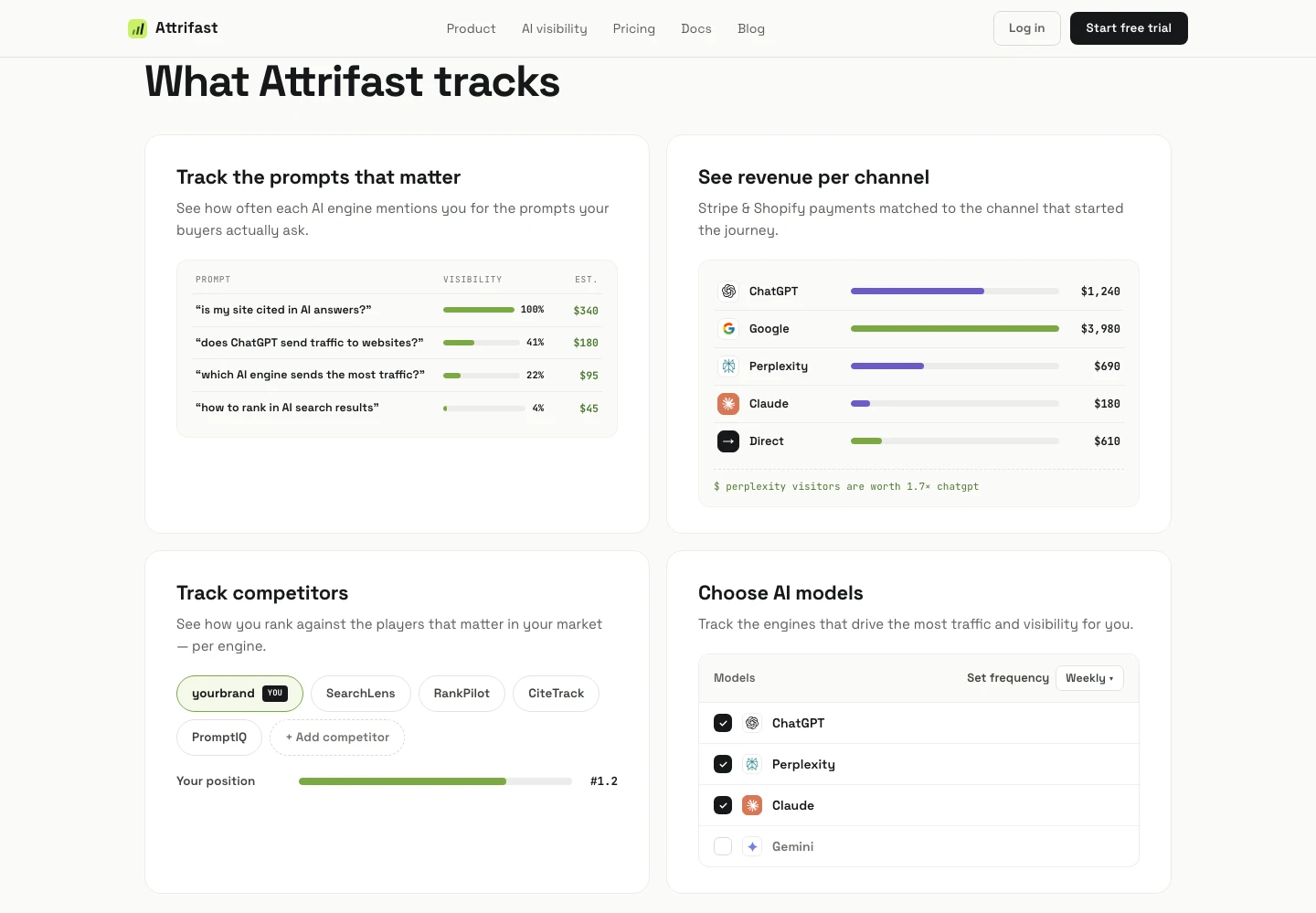
Splitting AI into its own revenue line changes what you do next, not just what you know. If ChatGPT is producing orders, the lever is your product schema and your content, not your ad bid. If it is producing sessions and no orders, you have a landing-page problem specific to research-mode buyers.
One caution on numbers: the per-engine revenue-per-visitor figures in that benchmark — Claude at $1.94, Perplexity at $1.42, ChatGPT at $0.87 — are measured on B2B SaaS, not on physical-goods stores. AI referrals to e-commerce behave differently, because the buying is more impulse-led and the research window is shorter. Use the benchmark for the shape of the finding, and measure your own store for the level. The AI visibility score and ChatGPT revenue attribution pages walk through what the per-engine breakdown looks like once it is joined to real payments.
Which tracking approach should a WooCommerce store actually run?
| Approach | Catches blocked browsers | Catches redirect returns | Handles delayed payments | Reverses refunds | Effort |
|---|---|---|---|---|---|
| GA4 e-commerce plugin (client-side) | No | Partially | No | No | Low |
| Ad-platform pixel on thank-you page | No | No | No | No | Low |
| Conversions API / server-side tagging | Yes | Yes | Only if you wire async events | Only if you send refund events | High |
woocommerce_payment_complete hook to your own collector | Yes | Yes | Yes | Yes, with refund hooks | Medium |
| Stripe webhooks as source of truth, joined to sessions | Yes | Yes | Yes | Yes | Medium |
| WooCommerce webhooks to an external endpoint [6] | Yes | Yes | Yes | Yes | Medium |
The honest recommendation for a store under roughly $1M GMV is the fourth and fifth rows together, with the client-side pixels left in place purely to feed ad-platform optimisation. Keep Meta's pixel because Meta's bidding algorithm needs it; just stop reading its conversion count as truth.
WooCommerce also ships a webhook system of its own — it can trigger notifications each time you add, edit or delete orders, products, coupons or customers [6] — which is a reasonable alternative to writing PHP if you would rather keep logic out of the site. It is slower to debug than a direct hook, but it survives plugin updates better.
What does the build order look like in practice?
If I were setting this up on a WooCommerce + Stripe store this afternoon, in this order:
- Set a first-party session identifier on the landing page. One script tag, before anything else. If you hand-roll it with a cookie, as in the snippet above, treat that cookie like any other in your consent policy. Attrifast's own script is cookieless — it stores no cross-site identifier — which is why it needs no consent banner for analytics.
- Stamp the session id onto the order with
woocommerce_checkout_create_order. Ten lines. - Fire the conversion from
woocommerce_payment_complete, not from the thank-you page. Twenty lines. - Add the Stripe webhook listener for
checkout.session.completedandcheckout.session.async_payment_succeeded[8], with signature verification and processed-event-id storage [12]. - Wire refunds through
woocommerce_order_refundedandcharge.refunded[4][11]. - Only then compare against your ad dashboards — and expect them to be higher, because they always are.
Steps 1, 4 and 5 are the ones I would not hand-roll a second time. Signature verification, idempotency, retry handling and a reporting layer are a genuine week of work to do properly and a permanent maintenance surface afterwards. That is the part Attrifast replaces: one script tag plus a Stripe restricted API key, and every referral is matched to the payment it produced. There is no WooCommerce plugin to install, because there does not need to be — the Stripe integration reads the payments directly, exactly the same way it does for a Shopify store.
It is $9.99/mo for Starter and $49/mo for Pro, with a 7-day free trial and nothing due today. A launch promotion currently takes 50% off. There is no free tier.
What this approach still does not fix
I would rather you know the limits before you build it.
- Cross-device journeys. A buyer who researches on a phone and pays on a laptop breaks the session chain unless they log in on both. Server-side hooks do not solve identity; they solve delivery.
- Multi-touch weighting. Everything above records which session paid. Deciding how to split credit across a buyer's earlier sessions is a separate argument, and one worth having only after the touch log is complete.
- Pre-existing history. Hooks are forward-looking. Nothing you install today reconstructs last quarter.
- Non-Stripe gateways. The WooCommerce side is gateway-agnostic; the payment-reconciliation side described here is specific to Stripe. PayPal, Mollie and others each need their own listener.
- AI referrals with no referrer. A cookieless first-party session still cannot classify a click that arrives with zero signal and zero UTM. It can only make sure the order is recorded and the unattributed bucket is honest about its size.
FAQ
Does woocommerce_thankyou ever have a legitimate use?
Yes — rendering the receipt, showing a survey, triggering a post-purchase upsell. Use it for anything the buyer sees. Do not use it for anything you plan to report on.
Should I disable my GA4 e-commerce plugin? No. Keep it for behavioural reporting, funnel views and audience building. Just stop treating its purchase count as the revenue number, because it is systematically low for the five reasons in the loss-mode table.
Does this require the block-based checkout?
No. The hooks named here are core order lifecycle actions and fire under both the classic shortcode checkout and the block checkout. Note that block-based checkout introduces the draft order status [3], so filter it out of any status-based reporting.
What about high-performance order storage?
It changes where orders are stored, not which actions fire. Code written against wc_get_order() and the order object's getters works either way, which is another reason to avoid reading order data straight from post meta.
Related reading
- Ecommerce conversion tracking — the platform-agnostic version of this argument
- Shopify revenue attribution guide — the same problem where you do not control the server
- Stripe attribution: the complete guide — the payment-side half in depth
- Server-side analytics in 2026 — why the collector belongs on your infrastructure
References
- WooCommerce usage statistics — 48.4% of all e-commerce systems, 8.2% of all websites — W3Techs, checked August 2026
- WooCommerce plugin listing — 7+ million active installations — WordPress.org Plugin Directory
- Order statuses — WooCommerce Documentation
- WooCommerce Code Reference — hooks index — WooCommerce Code Reference
- WC_Order class reference — get_transaction_id(), payment_complete() — WooCommerce Code Reference
- Webhooks — WooCommerce Documentation
- Stripe payment gateway for WooCommerce — WooCommerce Documentation
- Fulfill Checkout Session orders — Stripe Docs
- Checkout Session object — client_reference_id and metadata — Stripe Docs
- SEPA Direct Debit payments — Stripe Docs
- Refund object — Stripe Docs
- Webhooks — signature verification, duplicates, retries — Stripe Docs
- Payment method support — Stripe Docs
- Ad blocker usage — 29.5% of internet users, GWI, Q2 2025 — Backlinko
- Default channel group — the AI Assistants channel — Google Analytics Help
- Why ChatGPT traffic shows as Direct in GA4 — Clickport
- Claude drives 10.6% of our signups; Google Analytics says 0.1% — Otterly.ai
- AI traffic revenue benchmark 2026 — Attrifast