Perplexity Traffic Analytics
Check traffic from Perplexity — then see what converts
See the sessions Perplexity sends, the pages those visitors enter on, and the conversions and Stripe revenue tied to those sessions. Start with the free checks below or install Attrifast for a live source-to-revenue report.
$9.99/mo · 7-day free trial · 2-minute setup
P
HUMAN VISITReferrer detected
perplexity.ai
Sample product view · illustrative journey
Perplexity citation→/pricing→Paid checkout
Captured
session source
/pricing
entry page
Matched
Stripe payment
Source-to-revenue join
Perplexity session
Outcome
Revenue attributed
Illustrative product view: Perplexity sessions, landing pages, conversions, and attributed revenue in one source report.
Why Perplexity traffic is different
A Perplexity click begins inside an answer that cites external sources. That makes the landing page important: visitors often arrive on the specific article, comparison, or product page cited in the answer rather than entering through your homepage.
A traffic count alone cannot tell you whether those visits matter commercially. The useful report keeps source, entry page, session, conversion, and payment on the same journey so you can compare Perplexity with search, social, email, and other AI referrals.
Crawler activity is a separate question. PerplexityBot requests show that the engine fetched a page; they do not prove a human clicked a citation. Keeping crawls and human sessions separate prevents inflated traffic and conversion calculations.
How do you track Perplexity traffic?
Perplexity AI sends visitors via the perplexity.ai referrer and a small set of disambiguating signals. Attrifast records the source when one of those identifying signals is present and keeps crawler requests separate from human sessions.
SignalWhat it isReliability
Referrer: perplexity.aiPrimary signal — present on the majority of Perplexity outbound clicks.high
Referrer: www.perplexity.aiSubdomain variant for desktop web traffic.high
User-Agent: PerplexityBotCrawler identity for Perplexity's indexing — filtered from human traffic by default.high
UTM: utm_source=perplexityHardcoded UTM convention used by some publishers and integrations.high
Landing-page pattern from PagesDeep-link arrivals from Perplexity Pages tagged distinctively in landing-page report.medium
What does Perplexity referral traffic look like in your analytics?
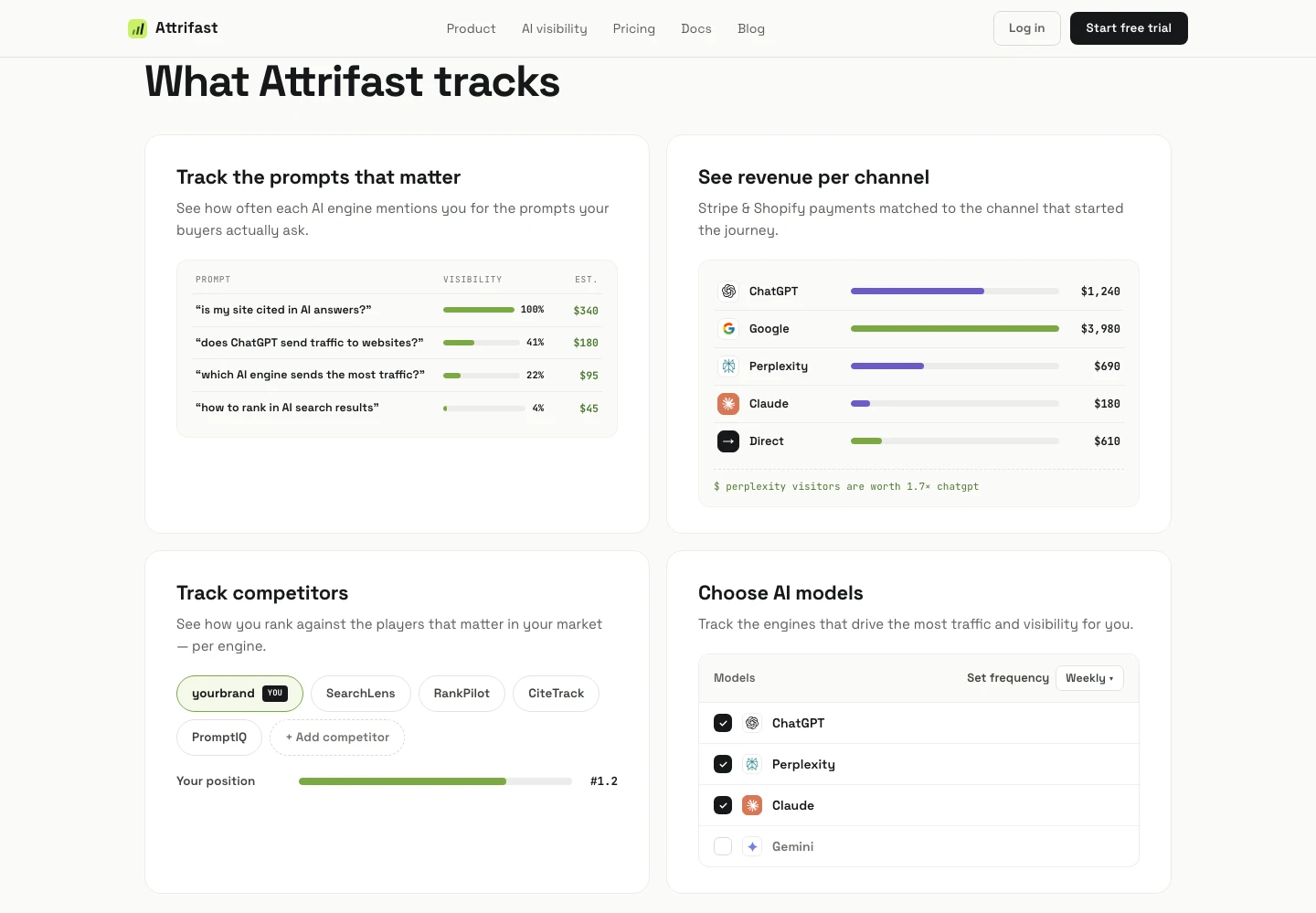
Perplexity appears as a first-class traffic source alongside Google, Direct, Social, and Email — with its own row in every report.
Perplexity visits
Real-time visitor count, page-by-page, with the original Perplexity referrer URL when available.
Perplexity revenue
Stripe payments attributed to Perplexity sessions, broken out by product, plan, and amount.
Perplexity RPV
Revenue per Visitor from Perplexity, comparable side-by-side with Google, Direct, and Social RPV.
Landing-page breakdown
Which pages Perplexity sends visitors to, so you can compare its entry paths with Google SEO and other channels.
Setup takes about 2 minutes
- 1Drop the Attrifast tracking script in your site <head>. One line. No tag manager required.
- 2Connect Stripe by pasting a restricted API key — payment events flow into attribution automatically.
- 3Perplexity traffic appears as its own row in the dashboard within minutes — no manual UTM tagging needed.
Perplexity traffic tracking FAQ
Common questions about detecting Perplexity referrals, attributing revenue, and what to expect.
How do I check Perplexity traffic to my website for free?
Two free ways to check Perplexity traffic are: (1) in GA4, create an exploration filtered on session source containing "perplexity"; and (2) in your server logs, filter the Referer field for perplexity.ai. These methods count visits carrying an identifiable source. Attrifast adds landing pages, sessions, conversions, and Stripe revenue in one report.
How do I track Perplexity AI traffic to my website?
Read the pageview referrer at session start and check for perplexity.ai, then store that source with a first-party session identifier. If the visitor later converts, carry the same identifier into your checkout or payment metadata. Attrifast automates that workflow and reports Perplexity sessions and attributed Stripe revenue together.
How does Attrifast detect Perplexity traffic?
Attrifast identifies human sessions when a pageview contains a Perplexity source signal such as a perplexity.ai referrer or an explicit UTM parameter. PerplexityBot is a crawler signal, not a visitor signal, so crawler requests are kept in a separate report and are not counted as human sessions or conversions.
How much traffic is Perplexity sending to publishers each day?
There is no reliable public daily total covering every publisher. The defensible number is the traffic Perplexity sends to your own site: count daily sessions with a perplexity.ai referrer or explicit Perplexity campaign tag, keep crawler requests separate, and compare the result with your analytics report over the same date range.
Can I see Perplexity revenue alongside Google and ChatGPT?
Yes. Attrifast surfaces Perplexity as a first-class traffic source — its own row in revenue reports, RPV comparisons, and channel breakdowns. You can compare Perplexity RPV to ChatGPT, Gemini, Claude, and Google directly.
Why can GA4 and server logs show different Perplexity totals?
They measure different layers. Server logs count requests, including repeated loads and bots unless filtered; GA4 counts client-side events that successfully fire and are assigned a source. Compare the same dates, remove PerplexityBot requests, and use sessions rather than raw requests before evaluating the gap.
What about Perplexity Pro Search and Perplexity Pages?
Both surface as perplexity.ai referrers and are tracked identically. Pages traffic shows distinctive landing-page patterns (visitors arrive on the cited deep link rather than your homepage), which Attrifast surfaces in the landing-page report.
Will I see PerplexityBot crawls counted as visits?
No. Attrifast filters bot traffic by default — PerplexityBot, OAI-SearchBot, GoogleBot, ClaudeBot, and others are excluded from human visit and revenue reports, but available in a separate "AI crawler" report when you want it.
How does this compare to dedicated visibility trackers like SE Ranking or SEOcrawl?
Visibility trackers tell you whether your brand is mentioned in Perplexity's answers. Attrifast tells you whether those mentions drive paying customers. Most teams need both signals; we focus on the revenue side because mentions that do not convert are vanity.
Attrifast is a privacy-first revenue attribution tool that ties every visit — including ChatGPT, Perplexity, Claude, and Gemini referrals — to Stripe revenue, so you see which channels earn money, not just traffic.
Stop hiding Perplexity traffic in "Direct"
See Perplexity as its own revenue line — alongside Google, Direct, Social, and Email.
- One script tag and a Stripe key — live in minutes
- First-party measurement without third-party cookies
- Recognized AI referrals joined to Stripe payments
7-day free trial · $0 due today · then $9.99/mo · cancel anytime
3 ways to check Perplexity traffic
You do not need a new tool to check whether Perplexity is sending you visitors. You do need one to find out whether those visitors pay. Here are the three methods, weakest signal first.
1. Check the referrer in the analytics you already run
In GA4, build an exploration on session source / medium and filter for “perplexity”. In Plausible or Fathom, open the Referrers report and look for perplexity.ai. This is the fastest check and costs nothing, but it only counts the visits whose referrer survived the click — the stripped ones stay buried in Direct, and none of these tools connect the visit to a payment.
2. Check your server logs and user agents
Grep your access logs for perplexity.ai in the Referer field to count human clicks, and for PerplexityBot in the User-Agent to count crawls — the two numbers answer different questions and should never be added together. Nothing here is sampled or modelled, which makes it the most honest raw check available, but it is a point-in-time count rather than a trend, and it says nothing about revenue.
3. Check the per-engine view in Attrifast
Perplexity gets its own row beside Google, Direct, and ChatGPT — visits, landing pages, and the Stripe revenue those sessions produced, in one line. It is the only one of the three methods that changes what you do next, because it tells you what the channel is worth rather than only that it exists.
Turn the daily count into a revenue decision
Install Attrifast once to track identifiable Perplexity sessions, landing pages, conversions, and Stripe revenue in the same report. The free trial lets you compare the automated report with your GA4 and server-log checks before paying.
Start tracking Perplexity traffic →