Setup Guide

E-commerce conversion tracking: step-by-step setup guide for 2026

Vincent Ruan
Vincent RuanFounder, Attrifast ·

Your store is generating revenue, but do you know which marketing channels are actually driving purchases? E-commerce conversion tracking is the practice of connecting every order to the exact source that influenced it — so you can calculate real ROAS, cut unprofitable channels, and scale what works. This guide covers what to track, how to set it up on Stripe, and WooCommerce, and why standard analytics tools miss a significant portion of your e-commerce revenue.

Updated March 2026 · 14 min read
TL;DR
  • The four metrics that matter most are: conversion rate, average order value, revenue per visitor (RPV), and ROAS — and you need channel-level data for all four.
  • Track 5 events: purchase, add-to-cart, checkout initiated, email capture, and product view. Purchase is critical; the rest diagnose funnel drop-off.
  • Standard tools (GA4, Shopify Analytics) miss 20–40% of e-commerce revenue due to cookie blocking, cross-device journeys, and checkout domain breaks.
  • Cookie-free server-side attribution tools connect directly to Stripe, eliminating blind spots without requiring consent banners or cookie prompts.

What is e-commerce conversion tracking?

E-commerce conversion tracking is the process of recording when a website visitor takes a measurable action — and then connecting that action to the marketing source that brought them to your store. A "conversion" is any action that represents business value: a purchase, an add-to-cart event, a newsletter signup, or a checkout initiation.

The tracking part matters as much as the conversion part. Knowing that your store converted 3.2% of visitors last month is useful. Knowing that email converts at 5.0%, Google Shopping at 2.0%, and TikTok Ads at 0.5% tells you where to invest and where to cut. Without channel-level conversion data, you're optimizing for traffic — not revenue.

The four metrics that matter for e-commerce conversion rate tracking

Conversion rate

(Orders ÷ Sessions) × 100

Percentage of visitors who complete a purchase

Industry benchmark: 1.5–3.5% (e-commerce average)
Why it matters: The foundational KPI. A store converting at 1% vs 3% on the same traffic earns 3x the revenue.

Average Order Value (AOV)

Total Revenue ÷ Number of Orders

Mean revenue per completed transaction

Industry benchmark: $65–$150 (varies widely by category)
Why it matters: Improving AOV by 10% via upsells or bundles increases revenue without acquiring more customers.

Revenue per Visitor (RPV)

Total Revenue ÷ Total Visitors

Average revenue generated by each website visitor

Industry benchmark: $0.50–$4.00 (channel-dependent)
Why it matters: The single best metric for comparing channel efficiency. A channel with $0.30 RPV is less valuable than one with $2.50 RPV, even if it sends more traffic.

Return on Ad Spend (ROAS)

Ad Revenue ÷ Ad Spend

Revenue generated per dollar of advertising spend

Industry benchmark: 2x–5x (varies by industry and channel)
Why it matters: Separates profitable campaigns from money-losing ones. You cannot calculate ROAS without accurate revenue-per-channel data.

The e-commerce conversion tracking stack

An effective conversion tracking setup has three layers working together:

1
Front-end event capture

A lightweight JavaScript snippet that records visitor behavior — traffic source, landing page, UTM parameters, add-to-cart events — without relying on third-party cookies.

2
Commerce platform integration

A direct connection to Stripe that pulls actual order data: amounts, line items, refunds, discount codes. This is the source of truth for revenue — not client-side JavaScript.

3
Attribution layer

Server-side logic that matches each order to the visitor session that originated it, crediting the correct marketing channel with the correct revenue amount.

5 key conversions every e-commerce store should track

Not all conversion events are equal. Prioritize them in the order below, and ensure your tracking is accurate at the top of the list before optimizing lower-priority events.

Purchase completedCritical

Benchmark: 1.5–3.5% of sessions

Capture: Order ID, revenue, line items, discount codes, payment method

Tracking gap: GA4 misses 20–40% of purchases due to ad blockers and checkout redirects
Add to cartHigh

Benchmark: 6–10% of sessions

Capture: Product ID, price, quantity, variant, page source

Tracking gap: Most platforms track this accurately if the script loads before the button click
Checkout initiatedHigh

Benchmark: 3–5% of sessions

Capture: Cart value, number of items, coupon applied

Tracking gap: Shopify checkout domain transition breaks cookie-based tracking here
Email capture / LeadMedium

Benchmark: 1–4% of sessions

Capture: Source popup/form, UTM parameters, landing page

Tracking gap: Often tracked but rarely connected to downstream purchase revenue
Product page viewMedium

Benchmark: 20–40% of sessions reach a product page

Capture: Product ID, price, category, traffic source

Tracking gap: Valuable as a funnel-entry signal; most tools track this but rarely segment by channel

Shopify conversion tracking: step-by-step setup

Shopify has built-in analytics under Analytics → Marketing, but it uses last-click, session-based attribution that misattributes 30–50% of order revenue. For accurate shopify conversion tracking, you need a tool that connects directly to Shopify order data and matches it to visitor sessions server-side.

The following setup uses Attrifast as the attribution layer. The same pattern applies to any tool with native Shopify integration.

1

Install the tracking script in your Shopify theme

Navigate to Online Store → Themes → Edit Code in your Shopify admin. Open theme.liquid and paste the following script tag immediately before the closing </head> tag. The script is 4KB and loads asynchronously — it will not slow your storefront.

<!-- Add to theme.liquid before </head> -->
<script
  defer
  data-tracking-id="your-tracking-id"
  src="https://api.attrifast.com/af.js"
></script>
Tip: Prefer not to touch theme code? Use Shopify Custom Pixels (Settings → Customer events) to deploy the script without editing Liquid files.
2

Connect Shopify via OAuth integration

In your attribution dashboard, go to Settings → Integrations → Shopify and click Connect Store. Authorize the connection with your Shopify admin credentials. This grants read-only access to order data including amounts, line items, discount codes, refunds, and customer identifiers.

Tip: The OAuth connection syncs historical orders automatically. You'll see attribution data for recent orders within minutes of connecting.
3

Enable the Shopify checkout pixel for post-purchase tracking

Shopify's checkout runs on a separate subdomain, which can break cookie-based tracking. To ensure purchase events fire correctly, add your tracking pixel to the order confirmation page under Settings → Checkout → Additional scripts.

<!-- Shopify order confirmation page (Settings → Checkout → Additional scripts) -->
{% if first_time_accessed %}
<script>
  window._af && window._af('conversion', {
    orderId: '{{ order.id }}',
    revenue: {{ order.total_price | money_without_currency | remove: ',' }},
    currency: '{{ order.currency }}'
  });
</script>
{% endif %}
Tip: The first_time_accessed guard prevents duplicate conversion events when a customer refreshes the confirmation page.
4

Verify tracking with a test order

Place a test order using Shopify's test payment gateway (or use a real card and immediately refund). Within 60 seconds of the order completing, it should appear in your attribution dashboard with a traffic source attached. If the source reads "Direct," check that your theme.liquid script installed correctly.

Tip: Check the Live Events feed in your dashboard to see raw conversion events as they fire. This is the fastest way to confirm your setup is working.
5

Review your Revenue by Channel dashboard

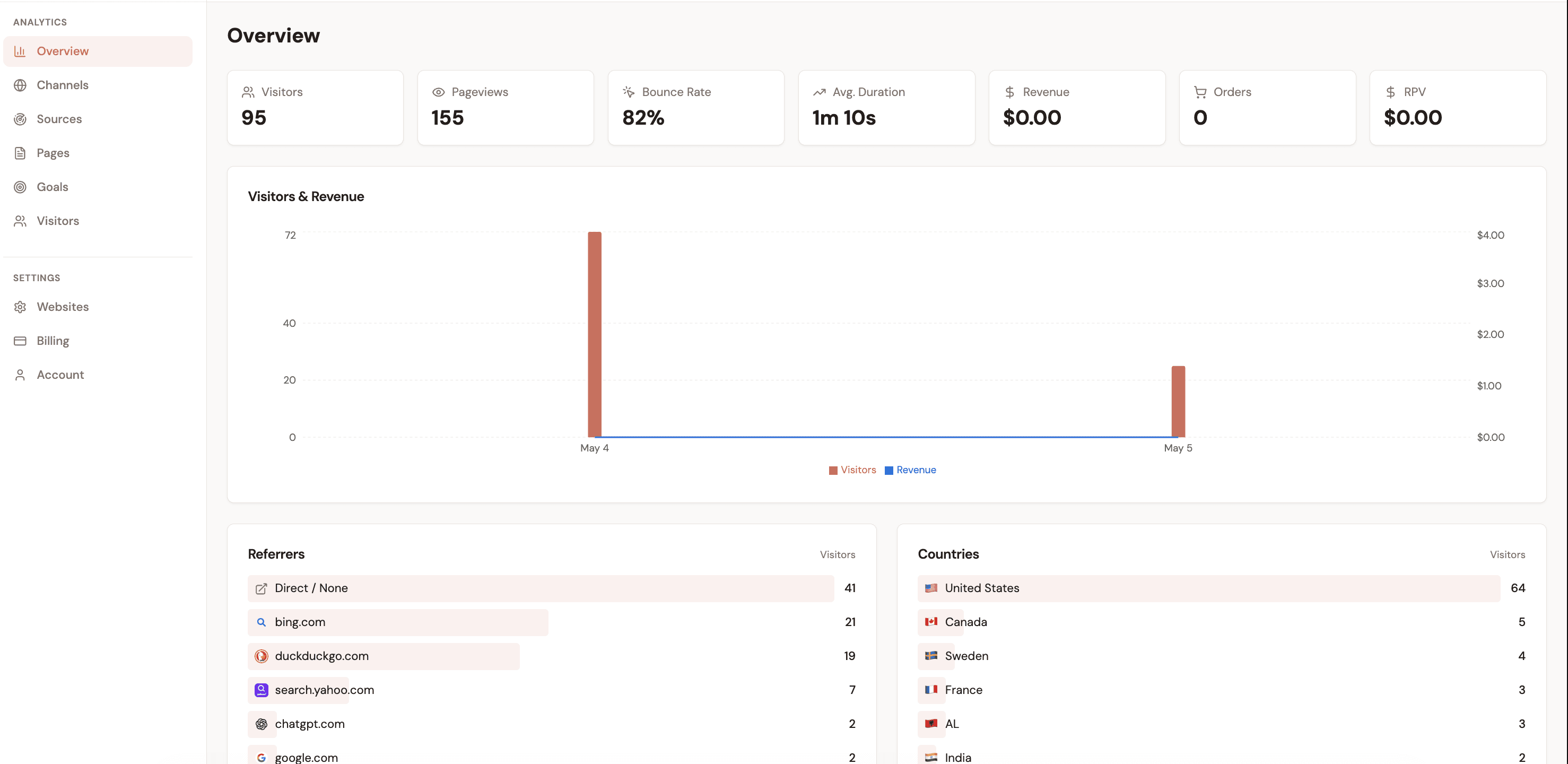
Open the Channels tab after 24–48 hours of live tracking. You'll see each traffic source alongside its orders, revenue, conversion rate, and Revenue per Visitor (RPV). The RPV column is your primary budget-allocation signal — channels with higher RPV earn more per visitor delivered.

Tip: Sort by RPV, not traffic volume. A channel sending 5,000 sessions at $0.20 RPV is less valuable than one sending 500 sessions at $3.50 RPV.

Shopify Analytics vs dedicated conversion tracking

Last-click attribution onlyYesNo
Cross-session visitor trackingNoYes
Cookie-free operationNoYes
Refund-adjusted revenueYesYes
Revenue per visitor (RPV) by channelNoYes
Works with ad blockersNoYes
Shopify AnalyticsDedicated tool

For a deeper analysis of Shopify-specific attribution gaps, see the Best Revenue Attribution Tools Tool guide.

Stripe-powered and WooCommerce stores

Stripe revenue tracking for e-commerce hybrids

Stores that use Stripe directly — custom storefronts, SaaS-commerce hybrids, or headless architectures — face a specific challenge: Stripe processes payments server-side and has no visibility into browser sessions. Without an additional attribution layer, every Stripe charge is effectively "Direct" traffic with no channel data.

1

Install the front-end tracking script

Add the same 4KB script to your website's <head>. For Next.js, Nuxt, or SvelteKit storefronts, use the Script component of your framework to load it with deferred execution. This captures UTM parameters, referrer data, and landing page for every visitor — without cookies.

2

Connect your Stripe account via OAuth

In Settings → Integrations → Stripe, click Connect Stripe Account. You'll be redirected to Stripe's OAuth flow. Attrifast receives read-only access to charge and subscription data. No API keys to manage, no Stripe webhooks to configure manually.

3

Pass a visitor token to your Stripe checkout (optional but recommended)

For server-side Stripe checkout sessions, pass the visitor's attribution token in the metadata field. This guarantees attribution accuracy even for customers who use ad blockers or clear cookies between visits.

// Node.js / Stripe Checkout example
const session = await stripe.checkout.sessions.create({
  // ...other options
  metadata: {
    af_visitor_id: req.cookies['af_vid'] || req.headers['x-af-visitor'] || '',
  },
});
4

Check the Channels dashboard

Stripe charges are matched to visitor sessions server-side. When a customer pays, the revenue appears in your dashboard attributed to the channel that first brought them to your site. Subscription renewals are tracked automatically — each renewal increments the originating channel's lifetime revenue.

For the full Stripe setup workflow with subscription tracking, see the Stripe Revenue Tracking Setup guide.

WooCommerce basics

WooCommerce runs on WordPress, which gives you more flexibility but also more setup responsibility. Unlike Stripe, WooCommerce does not have a standardized OAuth integration ecosystem, so the setup is more manual.

1

Install via WordPress plugin or header injection

The simplest approach is to use a WordPress plugin like "Insert Headers and Footers" to add the tracking script to your site header. Alternatively, add it directly to your child theme's functions.php via wp_enqueue_script().

2

Enable WooCommerce order hooks

Add a PHP action on the woocommerce_thankyou hook to fire a conversion event with the WooCommerce order total. This fires on the order confirmation page and captures the revenue amount, order ID, and payment method.

3

Connect via API key or Zapier

WooCommerce does not have the same OAuth ecosystem as Shopify. Use the REST API key (WooCommerce → Settings → Advanced → REST API) or a Zapier trigger on "New Order" to push order data to your attribution tool.

E-commerce conversion tracking tools compared

Five tools dominate e-commerce conversion tracking in 2026. They make very different trade-offs between accuracy, cost, and technical complexity.

Attrifast

Privacy-first revenue attribution

Recommended
Cookie-free

Yes

Revenue by channel

Yes

Cross-session

Yes

Price

$0–29/mo

Best for: SMB stores wanting accurate revenue attribution without enterprise complexity
Google Analytics 4

General-purpose analytics

Cookie-free

No

Revenue by channel

Partial

Cross-session

No

Price

Free

Best for: Teams with engineering resources and existing GA4 investment
Shopify Analytics

Built-in store analytics

Cookie-free

No

Revenue by channel

Partial

Cross-session

No

Price

Included with Shopify

Best for: Quick pulse check on store traffic; not accurate for attribution decisions
Triple Whale

DTC attribution platform

Cookie-free

No

Revenue by channel

Yes

Cross-session

Yes

Price

$100–500+/mo

Best for: Large DTC brands with $50K+/mo ad spend across multiple paid platforms
Hyros

AI ad attribution

Cookie-free

No

Revenue by channel

Yes

Cross-session

Yes

Price

$150–600+/mo

Best for: High-ticket info-product sellers and course creators with complex funnel ads

For a more detailed breakdown of how these tools compare across 15 feature dimensions, see the Best Conversion Tracking Software guide and the Attrifast vs Triple Whale comparison.

Why standard analytics tools miss e-commerce revenue

Google Analytics 4 and Shopify's built-in analytics were designed around sessions and page views. E-commerce revenue tracking exposes five structural limitations that cause significant revenue to appear in the wrong channel — or not appear at all.

1

Third-party cookies blocked by default

Safari blocks third-party cookies entirely. Firefox blocks them by default. Even Chrome began phasing them out in 2024. Tracking that depends on cookies loses 30–45% of visitors on modern browsers before factoring in ad blockers.

Revenue impact: Revenue from Safari and Firefox users appears as "Direct" or vanishes from channel reports.
2

Ad blockers silencing analytics scripts

32% of desktop internet users run ad blockers (Backlinko, 2024). Most ad blockers target common analytics domains including Google Analytics, Facebook Pixel, and TikTok's event scripts. These visitors browse, add to cart, and purchase without appearing in your analytics.

Revenue impact: 15–30% of all e-commerce revenue becomes unattributed or mis-attributed to "Direct."
3

Cross-device purchases

A customer discovers your store on their phone during a commute, adds to cart, then completes the purchase on their laptop that evening. Cookie-based tools treat these as two unrelated visitors. The mobile session — where the actual discovery happened — gets zero credit.

Revenue impact: Top-of-funnel channels (Instagram, Pinterest, TikTok) are systematically under-valued because they drive mobile discovery that converts on desktop.
4

Returns and refunds distorting revenue figures

Standard analytics tools track gross revenue at the moment of purchase. When a customer returns an item three days later, the refund does not subtract from your channel's reported revenue. Your data shows $10,000 from Google Shopping, but $2,300 of that was refunded.

Revenue impact: Channels with high return rates look more profitable than they are. Repeat offenders: fashion, electronics, furniture.
5

Subscription renewals attributed to "Direct"

For subscription e-commerce or hybrid SaaS-commerce products, renewal payments happen outside any browser session. The customer subscribed after clicking an Instagram ad six months ago, but every monthly renewal appears as "Direct" in session-based analytics.

Revenue impact: Lifetime Value (LTV) by channel is systematically wrong. Channels that acquire subscribers look weak because their revenue is multi-month.
The combined effect

These five gaps stack. In a typical Shopify store, 25–45% of order revenue is misattributed in standard analytics. You may be seeing "Instagram Ads: $8,100" when the true number — accounting for cross-device purchases, ad-blocker invisible sessions, and returns — is closer to $5,700. Budget decisions made on the wrong number are costly.

How to connect marketing channels to actual revenue

First-party attribution connects your marketing channels to verified order data from Stripe — not estimated conversions. Here's what accurate e-commerce conversion tracking reveals from a real store doing $55,500 in monthly revenue.

Email (Klaviyo)$13,650
Visitors

1,820

Conv. rate

5.0%

RPV

$7.50

Organic Search$12,600
Visitors

4,200

Conv. rate

2.0%

RPV

$3.00

Google Shopping$9,300
Visitors

3,100

Conv. rate

2.0%

RPV

$3.00

Instagram Ads$8,100
Visitors

5,400

Conv. rate

1.0%

RPV

$1.50

Direct$7,800
Visitors

2,900

Conv. rate

1.8%

RPV

$2.69

TikTok Ads$4,650
Visitors

6,200

Conv. rate

0.5%

RPV

$0.75

What this data reveals

Email is the most efficient channel — $7.50 RPV and a 5.0% conversion rate. For every dollar spent on Klaviyo, this store earns 68x back. The strategic move: invest more in list growth (pop-ups, lead magnets, post-purchase flows) to scale this channel without increasing ad spend.

TikTok Ads are destroying margin — 0.9x ROAS means spending $1 on TikTok generates $0.90 in revenue. Before product costs. This is a money-losing channel masquerading as "brand awareness." The fix: pause, analyze creative, or reallocate the budget to Google Shopping.

Organic Search is a sleeper — $3.00 RPV with no ad spend and no acquisition cost per order. Every additional visitor from SEO is pure margin. This store should be investing in content and technical SEO.

The first-party attribution approach

Attrifast achieves this accuracy by connecting directly to Stripe server-side. When an order completes, Attrifast matches it to the visitor's original session using a privacy-safe identifier stored in the first-party context — not a third-party cookie. This approach works even when visitors use Safari, Firefox, or ad blockers, giving you 90–100% attribution accuracy instead of the 60–70% you get from script-based tools.

To understand how revenue per visitor differs across channels in detail, see the Revenue per Visitor by Channel guide.

Key takeaways

1E-commerce conversion tracking requires both front-end event capture (visitor behavior) and a server-side connection to your commerce platform (actual order data). Using only one layer leaves significant revenue invisible.
2Track five events in priority order: purchase, add-to-cart, checkout initiated, email capture, and product view. Purchase accuracy is non-negotiable — optimize it before the others.
3Standard tools miss 25–45% of e-commerce revenue due to cookie blocking, cross-device journeys, ad blockers, and checkout domain breaks. Cookie-free server-side attribution closes these gaps.
4Revenue per Visitor (RPV) by channel is the most actionable metric from conversion tracking. A channel with 500 visitors at $3.00 RPV ($1,500 revenue) outperforms one with 5,000 visitors at $0.20 RPV ($1,000 revenue).
5Shopify conversion tracking requires three components: a front-end script, a server-side Shopify order integration, and a conversion pixel on the order confirmation page. Most tools that miss the third step lose 20–30% of purchase events.
6Enterprise attribution tools ($100–500+/month) are designed for stores with $50K+/month in ad spend. Most e-commerce stores get better ROI from lightweight, accurate tools at $0–29/month.
7Connect your marketing channels to CAC data to complete the picture. A channel with great ROAS may have poor Customer Acquisition Cost if it rarely retains customers. See the CAC by Channel guide for methodology.

Frequently asked questions

What is e-commerce conversion tracking?

E-commerce conversion tracking is the process of recording when visitors complete valuable actions on your store — primarily purchases, but also add-to-cart events, checkout initiations, and email signups. Conversion tracking connects these actions to the marketing channels, campaigns, and pages that drove them, so you can calculate metrics like ROAS, conversion rate, and revenue per visitor by channel.

What is a good e-commerce conversion rate?

The average e-commerce conversion rate across industries is 1.5–3.5% (IRP Commerce, 2024). However, conversion rate varies significantly by traffic source: email typically converts at 4–8%, organic search at 2–4%, and paid social at 0.5–2%. Comparing your overall rate to industry averages is less useful than comparing conversion rates by channel within your own store.

How do I set up conversion tracking on Shopify?

To set up Shopify conversion tracking: (1) install a tracking script in theme.liquid before </head>, (2) connect your Shopify store via OAuth to your attribution tool, (3) add a conversion pixel to the order confirmation page under Settings → Checkout → Additional scripts, and (4) verify with a test order. Full setup takes 10–15 minutes. Attrifast provides native Shopify integration that completes this process in 2 minutes.

Why does Shopify Analytics show different revenue than my actual orders?

Shopify Analytics uses last-click, session-based attribution that loses tracking when cookies expire, when customers use ad blockers, or when customers return on a different device. It also does not retroactively update when refunds occur. Discrepancies of 20–40% between Shopify Analytics channel data and actual order revenue are common — which is why a dedicated attribution tool is necessary for budget decisions.

Does e-commerce conversion tracking require cookies?

Traditional conversion tracking relies on cookies, but cookie-free alternatives exist. Tools like Attrifast use server-side matching — linking Stripe order data to visitor sessions via non-cookie identifiers — which works even when browsers block cookies or customers use ad blockers. Cookie-free tracking is particularly important for GDPR compliance and for accurate tracking of Safari users.

What is the difference between conversion tracking and revenue attribution?

Conversion tracking records that a purchase happened and its value. Revenue attribution goes one step further and connects that purchase to the specific marketing channel, campaign, or touchpoint that drove it. You need both: conversion tracking for accuracy (did the purchase happen and for how much?), and attribution for actionability (which channel deserves credit, and should I invest more there?).

E-commerce conversion rate by industry — 2026 benchmarks (%)

Source: Shopify Plus 2026 e-commerce conversion rate by industry; IRP Commerce all-industry baseline

See which channels are actually driving your e-commerce revenue

Connect Stripe and get accurate conversion tracking by marketing channel. Cookie-free, no engineering required, setup in 2 minutes.

Start tracking conversions free →

Loved by 500+ users