Setup Guide

UTM parameters: the complete setup guide for tracking traffic sources

Vincent Ruan
Vincent RuanFounder, Attrifast ·

UTM parameters are the foundation of marketing attribution. Without them, every visitor who arrives from an ad, email, or social post looks identical in your analytics. This guide explains all five UTM parameters, shows you how to build tagged URLs correctly, and covers the naming conventions that keep your data clean for years — not just weeks.

Updated March 2026 · 12 min read
TL;DR
  • UTM parameters are five URL tags that tell analytics tools where your traffic came from.
  • Three are required: utm_source (e.g., google), utm_medium (e.g., cpc), utm_campaign (e.g., spring-launch-2026).
  • Naming conventions matter more than anything — always lowercase, hyphens not spaces, never tag internal links.
  • UTMs track clicks, not revenue. To see which campaigns drive actual payments, you need an attribution layer that connects UTM data to Stripe records.

What are UTM parameters?

UTM stands for Urchin Tracking Module — a naming convention inherited from Urchin Software, the analytics company Google acquired in 2005 to build what became Google Analytics. The name stuck, and UTM parameters are now a universal standard supported by every major analytics platform.

In practice, UTM parameters are key-value pairs you append to any URL as a query string. When a visitor clicks that URL, the analytics tool reads the parameters and records the session against the source, medium, and campaign you specified — instead of guessing from the HTTP referrer header, which is frequently absent, stripped, or misleading.

# A URL without UTM parameters:
https://yoursite.com/pricing

# The same URL with UTM parameters:
https://yoursite.com/pricing
  ?utm_source=newsletter
  &utm_medium=email
  &utm_campaign=march-digest-2026
  &utm_content=pricing-cta

The question mark starts the query string. Each parameter is separated by an ampersand. The analytics tool strips the parameters, records them against the session, and then shows you traffic reports broken down by source, medium, and campaign.

Why UTM parameters matter for conversion source tracking

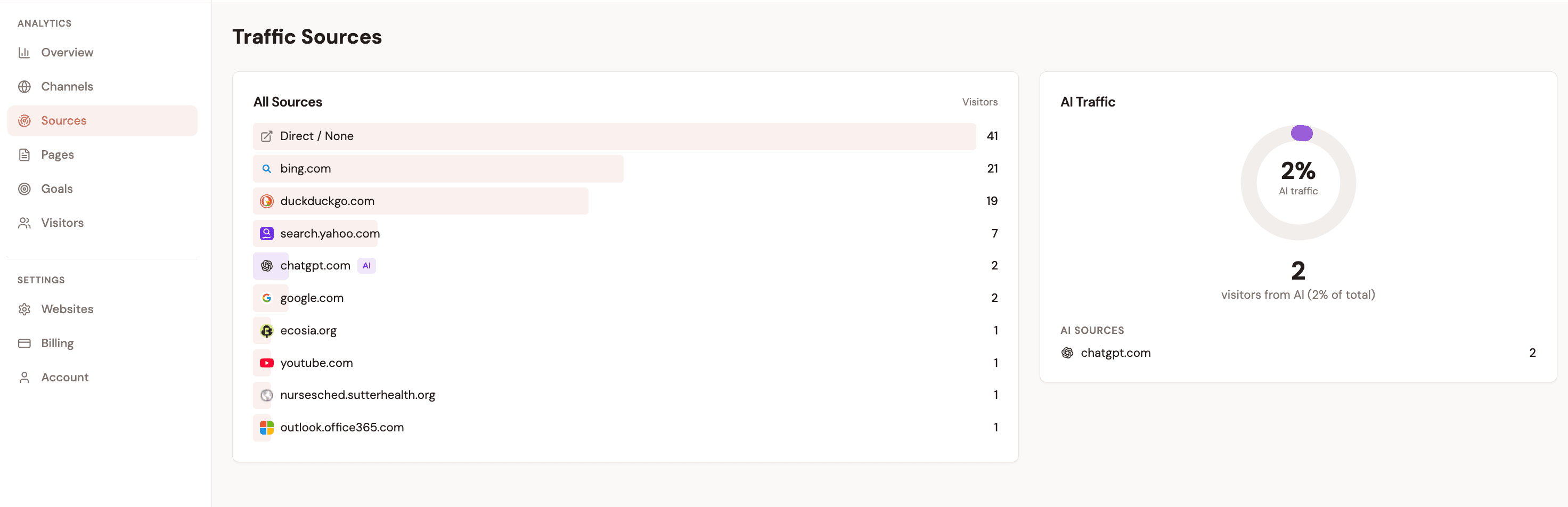
Without UTM parameters, roughly 30-40% of your referral traffic lands as Direct — sessions where the analytics tool could not determine the source. Dark social shares, link previews, and HTTPS-to-HTTP redirects all strip the referrer header. UTM parameters bypass the referrer entirely: the attribution data travels inside the URL itself.

The 5 UTM parameters explained

Each parameter answers a specific question about the traffic source. Three are required for any meaningful attribution. Two are optional but valuable for paid campaigns and email marketing.

utm_sourceRequired

Where did the traffic come from?

Identifies which site, platform, or publisher sent the traffic.

googlenewsletterfacebooklinkedinproduct-hunt
utm_mediumRequired

What channel or medium was used?

Identifies the marketing channel or type of link used.

cpcemailorganicsocialreferralaffiliate
utm_campaignRequired

Which campaign or initiative drove this traffic?

Identifies the specific campaign, promotion, or initiative driving the traffic.

spring-sale-2026product-launchweekly-newsletterbrand-awareness
utm_termOptional

Which keyword or targeting term was used?

Identifies the paid search keyword or targeting term that triggered the ad.

utm+parametersstripe+revenue+trackingmarketing+attribution+tool
utm_contentOptional

Which specific link or creative drove the click?

Differentiates between links in the same ad or email — useful for A/B testing creatives.

blue-ctahero-bannerfooter-linkvariant-atext-link

When to use utm_term and utm_content

utm_term

Use for paid search campaigns to capture which keyword triggered the ad. In Google Ads, the ValueTrack parameter {keyword} auto-populates this field for every click — no manual tagging needed.

utm_content

Use to differentiate between multiple links pointing to the same destination within a single email or page. If your newsletter has three CTAs all pointing to your pricing page, tag them cta-top, cta-mid, and cta-footer.

How to create UTM URLs: step-by-step

Building tagged URLs is straightforward. The trap is inconsistency across campaigns and team members. Following this five-step process prevents the most common UTM tracking failures.

1

Define your naming taxonomy before tagging anything

Create a shared spreadsheet with approved values for utm_source, utm_medium, and utm_campaign prefixes. Get team sign-off before any URLs go live. Retrofitting a UTM taxonomy after months of inconsistent tagging is expensive — disagreements about 'google' vs 'Google' cause double-counting in every report.

2

Build your tagged URL using a URL builder

Use the Google Campaign URL Builder (campaign-url-builder.googl.com) or any URL builder tool to construct parameter strings without typos. Paste your destination URL, fill in the fields, and copy the generated link.

# Base URL:
https://yoursite.com/landing-page

# After tagging:
https://yoursite.com/landing-page
  ?utm_source=google
  &utm_medium=cpc
  &utm_campaign=brand-search-q1-2026
  &utm_term=your%20target%20keyword
  &utm_content=ad-variant-a
3

Shorten the URL for sharing (optional but recommended)

UTM-tagged URLs are long and ugly. Use a link shortener (Bitly, Short.io, or your own domain redirect) before posting to social media or including in print. The short URL redirects to the full UTM-tagged destination. Never shorten the UTM string itself — only wrap the final URL.

4

Test the URL before deploying at scale

Click your tagged URL in a private/incognito window, then open your analytics tool and check that the session appears with the correct source, medium, and campaign. Do this for every new campaign before spending budget on it.

5

Log every tagged URL in a central tracker

Maintain a UTM log: destination URL, all five parameters, the shortened link, channel, date created, and campaign status. This prevents duplicate campaign names, enables historical reporting, and is essential when multiple team members are creating tags.

Pro tip: use a spreadsheet template as your UTM builder

Build a Google Sheet with columns for each parameter and a CONCATENATE formula that assembles the final URL. This keeps your taxonomy visible to the whole team and produces consistently formatted links every time — no copy-paste errors from switching between a URL builder and your campaign management tool.

UTM naming conventions and best practices

The most common UTM tracking failure is not technical — it is naming inconsistency. When different team members tag the same channel differently, your analytics data fragments across dozens of micro-sources. These six rules prevent that.

Always use lowercase

Avoid

utm_source=Google

Use instead

utm_source=google

Google and google are treated as two separate sources in most analytics tools. Lowercase prevents accidental data splitting.

Use hyphens, not underscores or spaces

Avoid

utm_campaign=spring sale

Use instead

utm_campaign=spring-sale

Spaces get URL-encoded as %20 or + and can break links. Hyphens are safe, readable, and consistent.

Be specific in campaign names

Avoid

utm_campaign=ad

Use instead

utm_campaign=google-ads-brand-q1-2026

Vague campaign names make it impossible to diagnose what's working when you have dozens of campaigns running.

Use a consistent medium taxonomy

Avoid

utm_medium=paid, utm_medium=PPC, utm_medium=ads

Use instead

utm_medium=cpc (for all paid search)

Without a standardized list, you end up with 10 medium values that mean the same thing — all siloed as separate channels.

Never tag internal links

Avoid

Tagging links from /pricing to /checkout with UTMs

Use instead

Only tag external traffic sources — ads, email, social, partners

UTM parameters reset the traffic source when clicked. Tagging internal links overwrites the original acquisition source for that session.

Include the date or quarter in campaign names

Avoid

utm_campaign=email-launch

Use instead

utm_campaign=email-launch-q1-2026

Campaign names like 'email-launch' are ambiguous after six months. Dates let you compare campaigns across periods without confusion.

The most expensive UTM mistake

Tagging internal links with UTM parameters is the single most destructive mistake in UTM tracking. When a visitor lands from Google Ads (utm_source=google) and then clicks an internally-tagged link, their source resets to whatever your internal tag says. Your Google Ads report loses the conversion. Your internal link gets false credit. This problem is invisible unless you specifically audit for it.

UTM tracking by channel: real examples

Different marketing channels have different tagging requirements and conventions. Here are correct UTM codes for the four most common paid and owned channels, with the full tagged URLs and channel-specific notes.

Google Search Ads
utm_sourcegoogle
utm_mediumcpc
utm_campaignbrand-search-2026
utm_termutm+tracking+tool
https://example.com/?utm_source=google&utm_medium=cpc&utm_campaign=brand-search-2026&utm_term=utm+tracking+tool

Use ValueTrack {keyword} to auto-populate utm_term in Google Ads templates.

Email Newsletter
utm_sourcenewsletter
utm_mediumemail
utm_campaignmarch-digest-2026
utm_contentcta-button
https://example.com/?utm_source=newsletter&utm_medium=email&utm_campaign=march-digest-2026&utm_content=cta-button

Tag every link in your email separately using utm_content to see which links get clicks.

LinkedIn Sponsored Post
utm_sourcelinkedin
utm_mediumsocial
utm_campaignq1-lead-gen
utm_contentcarousel-ad
https://example.com/?utm_source=linkedin&utm_medium=social&utm_campaign=q1-lead-gen&utm_content=carousel-ad

LinkedIn auto-appends its own parameters — your UTMs take precedence in GA4 and most tools.

Partner / Referral
utm_sourcetechcrunch
utm_mediumreferral
utm_campaignpress-mention-march
https://example.com/?utm_source=techcrunch&utm_medium=referral&utm_campaign=press-mention-march

Use a unique utm_source per partner so you can compare individual referral performance.

UTM limitations: what UTM codes can't track

UTM parameters are the most widely supported attribution mechanism on the web, but they have real, structural limitations. Understanding these gaps is essential for anyone making marketing budget decisions based on UTM data.

Dark social traffic

Links shared in WhatsApp, Telegram, Slack, iMessage, and private Facebook messages lose their UTM parameters when the recipient clicks. The session arrives as Direct, even if it originated from a tagged link you shared. Dark social is estimated to account for 20-30% of referral traffic for many B2B and developer-focused products.

Workaround: No perfect fix. Some teams use a dedicated landing page with a unique UTM for "share" CTAs, then treat unattributed Direct as a proxy for dark social volume.

Cross-device journeys

A user clicks your LinkedIn ad on their phone (capturing utm_source=linkedin), then converts three days later on their laptop via Direct. The conversion is attributed to Direct — the LinkedIn ad gets no credit. GA4 attempts to stitch sessions with logged-in Google accounts, but this only works when the user is signed in on both devices.

Workaround: First-party identity matching (email capture, account creation) can stitch cross-device journeys server-side, independent of UTM parameters.

Cookie deletion and consent rejection

UTM parameters land in the browser and are stored in cookies or localStorage for multi-session attribution. Safari ITP expires JavaScript-set cookies in as little as 24 hours. GDPR consent rejection rates in Europe run 30-40%. The result: a meaningful share of UTM-tagged sessions cannot be attributed to a later conversion.

Workaround: Server-side session matching using non-cookie signals (IP prefix + user agent hash) can attribute conversions without browser storage.

No revenue data in UTM reports

UTM parameters tell you traffic volume and (if set up) conversion counts. They don't tell you which campaign generated $5,000 vs $500 in revenue. GA4's UTM reports show sessions and goal completions — not the dollar value of those conversions — unless you have a custom e-commerce or revenue integration.

Workaround: Connect UTM parameters to payment data (Stripe) via an attribution layer that matches visitor sessions to payment records.

Parameter stripping by platforms

Some platforms — notably Apple Mail, certain ad networks, and link preview scrapers — strip or ignore UTM parameters when the URL is fetched. Shortened URLs that redirect to UTM-tagged destinations generally survive this stripping. Raw UTM-tagged URLs in plain-text email clients are most vulnerable.

Workaround: Always use shortened or redirect URLs. Audit your UTM reports for suspiciously high Direct traffic on campaign-heavy days, which often signals parameter stripping.

The revenue data gap is the biggest limitation

UTM reports in GA4 show you which campaigns drove sessions and goal completions. They don't show you which campaigns drove $10,000 vs $1,000 in actual revenue — because UTM parameters live in the browser, and your payment processor (Stripe) has no visibility into browser sessions. This gap is why teams with real marketing budgets need a layer between UTM data and payment data. For a deeper look at the GA4 limitation, see the traffic attribution complete guide.

Beyond UTMs: first-party attribution and revenue tracking

UTM parameters answer "which campaign sent this visitor." First-party attribution answers "which campaign generated this revenue." These are different questions, and for most businesses making real marketing budget decisions, the second question is the one that matters.

The workflow looks like this: a visitor lands on your site from a Google Ad with utm_source=google&utm_medium=cpc&utm_campaign=brand-q1-2026. Your attribution layer captures and stores those parameters server-side. Two days later, that visitor returns directly, signs up for a trial, and pays $49 via Stripe. The payment is attributed to the Google Ad — not to Direct — because the attribution layer matched the Stripe customer to their original UTM-tagged session.

1

Visitor arrives via UTM-tagged URL

The tracking script captures utm_source, utm_medium, utm_campaign, referrer, and landing page. These are stored server-side, not in the browser — so they persist through cookie deletion, ITP expiry, and consent rejection.

2

Visitor browses, returns, and converts

On the final visit — which may arrive as Direct — the attribution layer recognizes the returning visitor via a server-side identifier and retrieves the original UTM data from session one.

3

Payment fires in Stripe

The payment event is matched to the visitor session server-side. Revenue is attributed to the correct UTM source, medium, and campaign — not to the last-touch referrer.

4

Revenue appears in your attribution dashboard by channel

You see not just which UTM campaigns drove clicks, but which campaigns drove $5,000 in revenue vs $200. This is the data that justifies budget increases and cuts.

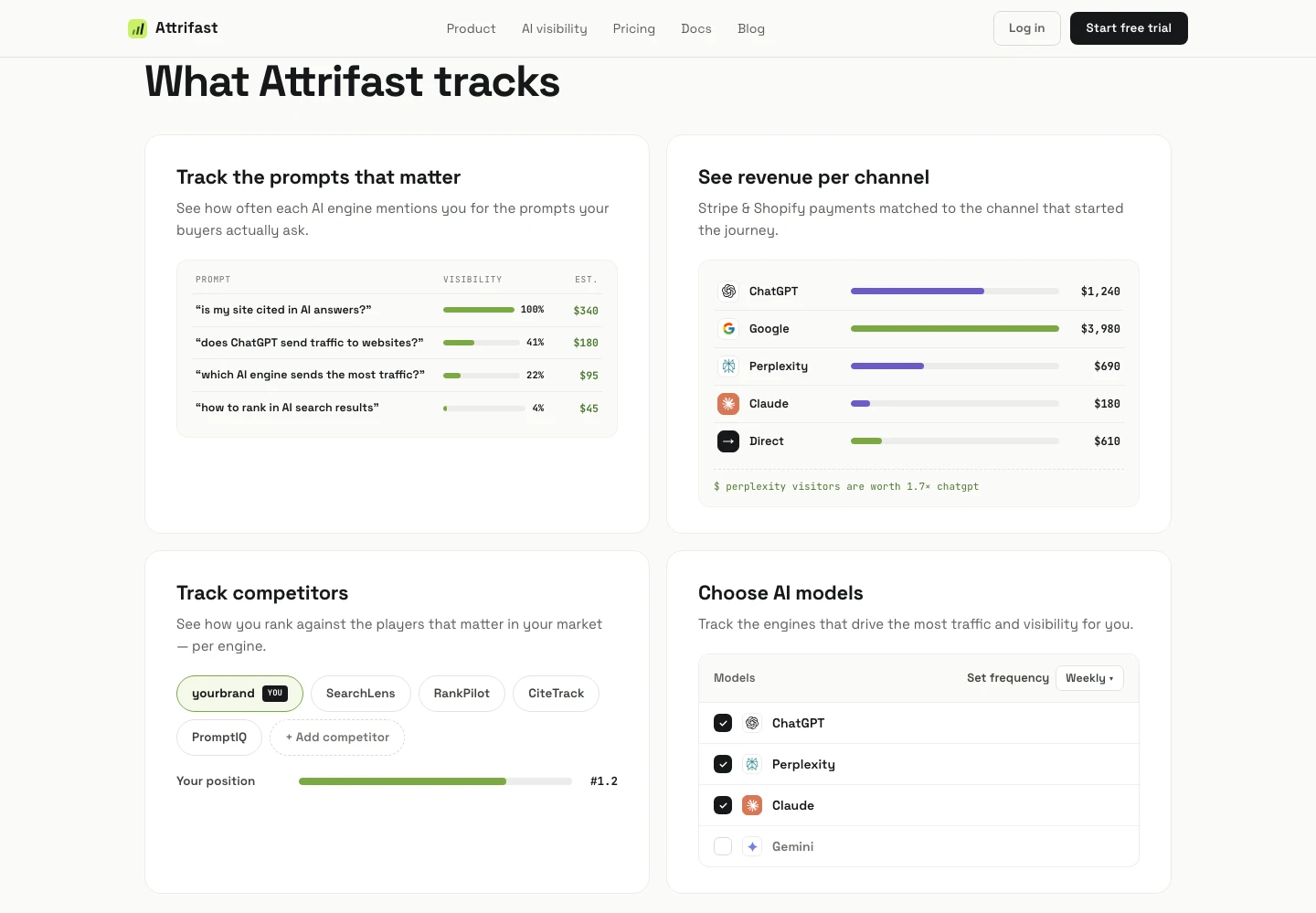
Attrifast connects UTM data to actual Stripe revenue using this server-side matching approach. The result is a Revenue per Visitor (RPV) dashboard broken down by utm_source, utm_medium, and utm_campaign — showing the dollar value of each traffic source, not just the click volume. It takes two minutes to set up and requires no cookies or consent banners. For more on the UTM-to-revenue connection, see the UTM to revenue tracking feature overview.

What first-party attribution adds on top of UTMs

  • Revenue per channel — not just sessions per channel. You see that Google Organic generates $4,200 while Google Ads generates $800 from similar traffic volumes.
  • Cross-session attribution — UTM data from visit one is connected to the payment on visit four, even if the intervening visits came from Direct or a different device.
  • Subscription lifetime value by channel — every renewal, upgrade, and refund is attributed to the original acquisition channel, giving you true LTV per UTM source.
  • No cookies required — server-side session matching is not affected by ITP, consent rejection, or ad blocker cookie deletion. Your attribution data is complete even for the 30-40% of visitors who reject consent banners.

For a detailed comparison of attribution models and how they interact with UTM data, see first-touch vs last-touch attribution and how to track which marketing channel drives revenue.

Key takeaways

1UTM parameters are five URL tags (utm_source, utm_medium, utm_campaign, utm_term, utm_content) that tell analytics tools where your traffic came from. Three are required, two are optional.
2Naming conventions are the most critical part of UTM tracking. Always use lowercase, hyphens not spaces, and a consistent taxonomy approved across your team before any campaign launches.
3Never tag internal links with UTM parameters. Doing so overwrites the original acquisition source mid-session, destroying your attribution data silently.
4UTM parameters track clicks and sessions — not revenue. To see which campaigns generated actual payments, you need an attribution layer that connects UTM session data to Stripe payment records.
5Dark social, cross-device journeys, and cookie deletion are structural gaps that UTMs alone cannot bridge. Server-side attribution without cookies solves the cookie and consent problems; cross-device requires first-party identity matching.
6Set up your UTM log and naming taxonomy before your first campaign. Retroactively standardizing inconsistent UTM data is extremely difficult and typically means months of fragmented channel data that cannot be reliably reconciled.

Frequently asked questions

What are UTM parameters?

UTM parameters are query string tags you append to URLs to track where website traffic comes from. The five parameters are utm_source, utm_medium, utm_campaign, utm_term, and utm_content. When a visitor arrives via a UTM-tagged URL, analytics tools read these parameters and attribute the session to the correct marketing channel.

Are all five UTM parameters required?

No. Only utm_source, utm_medium, and utm_campaign are considered required in practice. utm_term is optional and most useful for paid search keyword tracking. utm_content is optional and most useful for A/B testing ad creatives or differentiating multiple links in the same email.

Do UTM parameters work with Google Analytics 4 (GA4)?

Yes. GA4 reads UTM parameters natively and uses them to populate Traffic Acquisition and Campaign reports. However, GA4 only reports on session counts and conversion events — it does not connect UTM data to actual revenue from payment processors like Stripe unless you use Measurement Protocol or a third-party integration.

Should UTM parameter values be uppercase or lowercase?

Always lowercase. UTM values are case-sensitive in most analytics tools. 'Google' and 'google' are counted as two separate traffic sources, which fragments your data. Standardizing on lowercase prevents accidental channel splitting.

What is the difference between utm_source and utm_medium?

utm_source identifies the specific publisher or platform that sent the traffic (e.g., google, newsletter, linkedin). utm_medium identifies the marketing channel type (e.g., cpc, email, social). Together they answer: where did the traffic come from, and through what kind of channel? For example: utm_source=google&utm_medium=cpc means paid search from Google.

Can UTM parameters track revenue, not just clicks?

UTM parameters themselves only capture click and session data. To connect UTM data to revenue, you need an attribution layer that stores the UTM parameters from the first visit and later matches them to payment events in Stripe. Tools like Attrifast do this server-side without cookies, giving you revenue-per-channel data directly from payment records.

UTM parameter usage frequency among marketers

Source: Composite of GA4 URL builder docs, Improvado naming-conventions analysis, and HubSpot UTM survey 2024

Connect UTM data to actual revenue — not just clicks

Attrifast links every UTM-tagged session to Stripe payments. See which campaigns drive revenue in 2 minutes, no cookies required.

Start tracking UTM revenue →

Loved by 500+ users